
Automated dimension hierarchies in Business Central
Elevate Dimensions automates dimension management through configurable hierarchies. When a user selects a dimension value on a document or journal line, the extension automatically applies related parent dimension values based on rules you define.
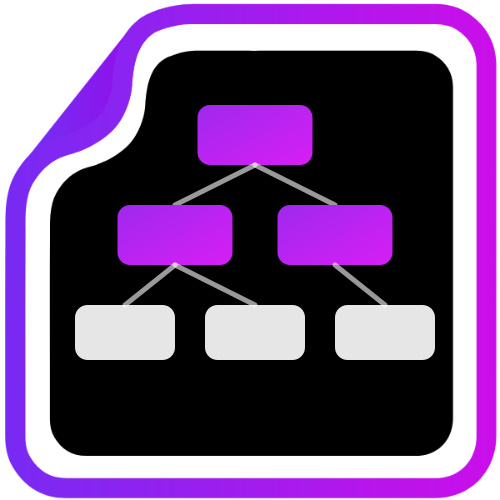
Dimension hierarchies that apply themselves
Elevate Dimensions automates dimension management through configurable hierarchies. When a user selects a dimension value, the extension automatically applies related parent dimension values. This eliminates repetitive manual entry and ensures consistent dimension coding.
Automatic Parent Dimensions
Parent dimensions are filled in automatically when you enter a child dimension value, reducing data entry on every document and journal line.
Improved Accuracy
Hierarchy rules enforce consistent dimension combinations, preventing mismatched or missing dimension values across your organisation.
Flexible Hierarchy Types
Supports simple parent child relationships, ragged hierarchies (where only some child values cascade), and multi parent hierarchies (where a child value maps to more than one parent value).
Works Everywhere
Integrates with sales documents, purchase documents, general journals, item journals, default dimensions, and project task dimensions.
Conflict Detection
Warns you at setup time if hierarchy rules would produce conflicting dimension values, so you can resolve issues before they affect transactions.
Multi Parent Selection
When a child value maps to more than one parent, users can select the correct parent at runtime. Full flexibility for complex organisational structures.
Elevate Dimensions pricing
Standard Hierarchies with Core Journal Support
- Simple parent child hierarchies
- Ragged hierarchies
- General journal support
- Conflict detection
+ Multi-Parent Hierarchies, Visualisation, and Document Support
- Everything in Silver
- Multi-parent hierarchies
- Hierarchy visualisation
- Sales and purchase document support
+ Full Journal Coverage, REST API, and Advanced Posting Rules
- Everything in Gold
- Item journals, project task dimensions
- REST API access
- Advanced posting rules
All prices are in NZD per tenant. Unlimited users. Annual billing gives you 2 months free.
Common questions about Elevate Dimensions
What types of dimension hierarchies are supported?
Elevate Dimensions supports simple parent child relationships, ragged hierarchies where only some child values cascade, and multi parent hierarchies where a child value maps to more than one parent value.
Which Business Central pages does it work on?
Elevate Dimensions integrates with sales documents, purchase documents, general journals, item journals, default dimensions, and project task dimensions.
Will it warn me about conflicting dimension rules?
Yes. The extension detects conflicts at setup time and warns you if hierarchy rules would produce conflicting dimension values, so you can resolve issues before they affect transactions.
Do I have to manually select parent dimensions?
No. When you select a child dimension value, the extension automatically applies the related parent dimension values based on the rules you have defined.
Other extensions from the Elevate suite


Ready to extend your Business Central?
Talk to us about Elevate Dimensions or explore the full Elevate suite. Every extension is supported directly by the Equerra team.